Bently Nevada is marking 20 years of System 1, the asset health management platform it launched in 2000. The company reports more than 10,000 active users globally across oil and gas, power generation and general industries, and its Services team uses the same platform to analyse customer machinery remotely, 24 hours a day. The anniversary is more than a marketing milestone: System 1 has moved from a vibration-centric monitoring tool to a plant-wide data platform that now connects process data, control-system data and wireless or portable measurements into one asset health view. For plants that already run System 1 — and for anyone still relying on stand-alone vibration collection — the useful question is what the platform does today and what should be verified before the next upgrade cycle.
Quick answer: what does 20 years of System 1 actually mean?
Bently Nevada introduced System 1 in 2000 as a Plant Asset Management (PAM) platform — software designed to manage the health of production assets, not just rotating machinery. Twenty years later the company published a retrospective confirming the scale of adoption: more than 10,000 active users worldwide, with oil and gas, power generation and general industry as the core markets.
- Launched: 2000, at the height of the first Plant Asset Management wave.
- Active users: more than 10,000 globally, per Bently Nevada.
- Installed base: 10,000+ System 1 installations, with 3 million+ measurement points monitored, according to Bently Nevada brochures.
- Service model: Bently Nevada’s Services team uses System 1 for remote asset monitoring and expert machinery analysis 24/7, backed by 12 remote monitoring centres and about 300 field and diagnostic engineers.
- Platform evolution: System 1 Classic → System 1 Evo → Decision Support analytics → part of the Cordant software suite, with releases now shipping in the v25.x series.
- Why it matters to owners: a two-decade-old platform means long data history, mature diagnostic workflows and a hardware ecosystem — 3500, Orbit 60, Ranger Pro, SCOUT — that still feeds it.
Why a 20-year software anniversary matters in condition monitoring
Industrial software ages badly. Monitoring platforms are routinely replaced every five to seven years because the vendor changes architecture, the operating system goes out of support, or the database schema stops scaling. A condition-monitoring platform that reaches 20 years with an active user base is unusual, and it matters for three practical reasons.
First, historical data keeps its value. Vibration and process trends are only useful when they are long enough to cover slow degradation — bearing wear over several years, seasonal process drift, a recurring resonance after a retrofit. Plants that migrated between platforms repeatedly lose that baseline.
Second, diagnostic knowledge accumulates in the tool. Alarm logic, case files, repair notes and Decision Support rules encode what a site’s engineers learned about specific machines. That is an asset in its own right, and it is expensive to rebuild in a new system.
Third, the hardware ecosystem stays coherent. System 1 is designed to ingest data from Bently Nevada’s rack-based protection systems, wireless devices and portable instruments. A stable software layer is what makes a mixed fleet of 3500 racks, newer Orbit 60 chassis and Ranger Pro sensors manageable from one interface instead of four.
From “one system” to plant-wide asset management
When System 1 launched, Bently Nevada’s own description of the goal was broader than vibration. An Orbit magazine article from 2001 put it this way: the assets in a modern industrial facility “are not limited to rotating machinery”, which is why the platform was designed to do more than machinery management. That statement reads like current product marketing, but it was written at launch.
| Period | Platform stage | What changed for users |
|---|---|---|
| 2000 | System 1 Classic launch | Plant Asset Management concept; data collection beyond vibration, flexible software alarms on any measurement, automated diagnostics, multi-source trend plots |
| 2000s | Classic deployment era | Adoption concentrated among expert engineering users; deployment on the process network limited accessibility as cybersecurity rules tightened |
| 2010s | System 1 Evo development | Research in 25 countries with 500+ end users; workflow built around detect → diagnose → correct; plant/unit/machine HMI; data replication to the business network |
| August 2020 | Decision Support first release | Condition-based analytic workbench integrated with System 1 Evo for failure-mode identification |
| v23.2 | Decision Support bundled | Decision Support Developer included with all new System 1 orders and delivered through the same download folder — no separate licence for installation |
| v25.x | Cordant-era releases | System 1 positioned inside Baker Hughes’ Cordant software suite; ongoing alignment with Orbit 60 and Orbit Studio configuration |
The pattern is a platform that kept its original data model while widening what it connects to. That is why a site running System 1 in 2005 could, in principle, carry its trend history into a modern deployment — and why the question of “which version am I on” is more consequential than the anniversary itself.
System 1 by the numbers
Bently Nevada has published several adoption metrics across its System 1 fact sheet, plant-wide brochure and Orbit retrospective. Read together, they describe the scale of the installed base rather than a single product’s sales figure.
| Metric | Published figure | What it tells you |
|---|---|---|
| Active System 1 users | More than 10,000 globally | A large, current user community — not a legacy install base counted by licences sold |
| System 1 installations | 10,000+ | Broad geographic and industry spread |
| Measurement points monitored | 3 million+ | The platform is used for real plant-wide coverage, not a handful of critical trains |
| Remote monitoring centres | 12 | A global services layer that runs on the same software as the customer |
| Field and diagnostic engineers | About 300 | Human diagnostic capacity behind the software, available under service agreements |
| Assets under management (Bently edge data) | 100,000+ | Includes assets monitored by Bently Nevada hardware beyond any single System 1 database |
| Installed sensors | 6 million+ | The transducer estate that ultimately supplies the data |
| Bently Nevada edge devices | 300,000+ | Scale of the acquisition layer, from rack monitors to wireless and portable devices |
One caution when reading these numbers: they come from different documents published at different times, and they measure different things. “10,000 active users” is a people count; “10,000+ installations” is a site count; “3 million measurement points” is a channel count. They are consistent with a mature platform, but they should not be added together or treated as a growth curve.
What actually changed: from vibration monitoring to asset health
The original System 1 already went beyond vibration, but its practical centre of gravity was machinery diagnostics. The Evo generation shifted that centre of gravity toward plant-wide asset health. Four capability changes explain the shift.
1. Data types beyond vibration
System 1 Evo added external interfaces for importing process and control-system data. That means a compressor’s discharge temperature, a pump’s flow rate and a motor’s current can sit in the same trend as its vibration, correlated without exporting spreadsheets. For most reliability teams, this is the difference between diagnosing a machine fault and diagnosing a process-induced machine fault.
2. A high-speed historian
Bently Nevada built a high-speed data store that historises all data at rates up to once per second, with 200 ms Modbus storage. Conventional condition-monitoring databases sample vibration on a schedule and process data every few seconds; a historian at that resolution can capture transient events — a startup ramp, a trip, a short-lived resonance — that scheduled collection misses entirely.
3. Connectivity that survives cybersecurity review
System 1 supports OPC UA for exporting waveforms, trends and alarm data to other systems, data lakes and analytics platforms. It also provides built-in data replication and data-diode support so data can move from the protection or process network to the business network without opening a bidirectional path. Bently Nevada positions this as simplifying compliance with NERC CIP and comparable cybersecurity standards — the exact constraint that limited System 1 Classic adoption in many plants.
4. Analytics as configuration, not code
Decision Support is a rule-building workbench integrated with System 1. Engineers encode knowledge — “if this bearing temperature rises while load is steady, raise a case” — as reusable rules rather than one-off analysis. Since v23.2 it has been bundled with new System 1 orders, which removed a common procurement objection: teams no longer have to justify a separate analytics licence before they can try rule-based diagnostics.
Alongside those four, the platform kept the diagnostic toolset that made it credible in the first place: asset-specific plots, trend and baseline analysis, alarm prioritisation and suppression, case management with repair notes, and plant/unit/machine HMI views built from live data.
The 24/7 angle: what 12 remote centres and 300 engineers mean
Bently Nevada’s Services organisation uses System 1 itself to support customers remotely, around the clock. That detail is often read as a vendor credential, but it has a practical implication for plant teams: the remote analysts are looking at the same trend plots, alarm states and case files that site engineers see.
In practice, remote monitoring works well when three conditions are met:
- Data quality is managed. A channel that is intermittently offline, saturated or badly scaled will generate either noise or false confidence. Sensor health belongs in the monitoring scope, not outside it.
- Alarm philosophy is deliberate. State-based alarms — different thresholds for different operating modes — reduce the flood of nuisance alerts that makes remote support ineffective.
- There is a defined handoff. Remote analysts can detect and diagnose; only the site can inspect, repair and confirm. Case management is what keeps that loop from turning into an email thread.
For sites without a service agreement, the same three conditions are the prerequisites for getting value from the software internally. Buying System 1 and leaving alarm configuration at defaults is the most common way plants end up with an expensive trend viewer.
System 1 versus a stand-alone vibration programme
Many plants still run periodic vibration routes with portable instruments and a local database. That approach is not obsolete — it is simply a different scope. The table below contrasts the two so the trade-off is explicit.
| Capability | Periodic route + local database | System 1 plant-wide platform |
|---|---|---|
| Coverage | Machines on the route, at route frequency | Online, wireless, portable and process data in one asset model |
| Transient capture | Limited; events between routes are missed | Historian rates up to once per second, 200 ms Modbus storage |
| Process correlation | Manual export and spreadsheet joins | Process and control-system data imported into the same trends |
| Alarm logic | Fixed thresholds per measurement | State-based alarms tied to load and operating mode |
| Knowledge capture | Analyst notes, often outside the database | Case management plus reusable Decision Support rules |
| Enterprise integration | Proprietary export formats | OPC UA export, data replication, data-diode support |
| Remote support | Site-dependent | Designed for 24/7 remote analysis on the same platform |
What existing System 1 users should check in 2026
The anniversary is a reasonable prompt to audit a deployment that may have grown organically over a decade. Five checks cover most of the risk.
- Version currency. Confirm which System 1 release the site runs and whether it is still receiving fixes. The v25.x line reflects current development; long gaps between upgrades make later migrations harder because configuration and database schemas change incrementally.
- Network architecture. Verify how data crosses from the protection or process network to the business network. If the site still relies on a direct path rather than replication or a data diode, that is both a cyber-review finding and a barrier to broader access.
- Alarm configuration. Review state-based alarm sets against current operating modes. Machines that have been rerated, re-wheeled or re-piped often carry alarm levels from a previous duty point.
- Decision Support ownership. If Decision Support is bundled but unused, the rules have no owner. Assign an engineer to maintain them the same way protection setpoints are maintained.
- Data consumers. List every system pulling data from System 1 — historians, APM tools, dashboards — and confirm the OPC UA or replication interface each one uses. Unmaintained integrations are the usual cause of “the data is wrong” complaints.
The hardware layer that feeds System 1
System 1 is only as good as the data arriving in it. In most plants, that data comes from three hardware families:
- 3500 racks. Rack-based protection systems supply the bulk of critical machinery data. The 3500/92 communication gateway is the usual route for moving rack data to System 1 over Ethernet or Modbus, while the 3500/22M transient data interface handles waveform and transient capture.
- Orbit 60. The newer platform integrates with System 1 directly and adds plant-wide coverage where a full 3500 rack is hard to justify. Sites running both can manage them from one System 1 deployment — see our analysis of the 3500 lifecycle and Orbit 60 migration path.
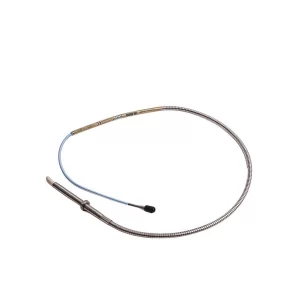
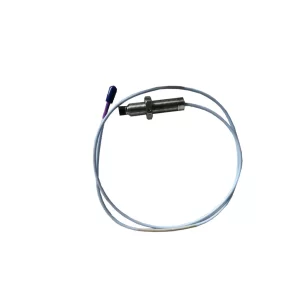
- Transducers and wireless devices. 3300 XL proximity probe systems, Velomitors, accelerometers, Ranger Pro wireless sensors and SCOUT portable instruments provide the measurements themselves.
Because the software outlives the hardware, spares planning and software planning need to be coordinated. A gateway or interface module that goes obsolete quietly breaks the data path into System 1 long before the software itself changes. Sites should keep at least one tested spare of each interface module in critical racks, and verify that replacement modules match the original full part number — channel count, I/O type and approval options all change the ordering string.
Bottom line
Twenty years is a long life for any industrial software platform, and System 1’s durability is explained less by features than by continuity: the same asset model, the same diagnostic philosophy and a hardware ecosystem that kept feeding it. The 10,000+ active users are the evidence that the approach worked.
For plants already on System 1, the anniversary is a useful audit trigger — check the version, the network path, the alarm sets and the integrations before they become migration problems. For plants still running periodic routes, the decision is not about anniversary marketing; it is about whether plant-wide coverage, transient capture and process correlation are worth the platform investment. Where critical machinery justifies continuous protection, the software layer is usually the cheapest part of the answer.
Frequently asked questions
What is Bently Nevada System 1?
System 1 is Bently Nevada’s asset health management software, launched in 2000. It collects vibration, process and control-system data, applies alarms and analytics, and presents plant, unit and machine-level views for condition-based maintenance. It is now part of Baker Hughes’ Cordant software suite.
How many people use System 1?
Bently Nevada reports more than 10,000 active System 1 users globally, across oil and gas, power generation and general industries. Separate Bently Nevada publications cite 10,000+ installations and 3 million+ measurement points monitored, which are different metrics and should not be summed.
Is System 1 still being developed?
Yes. System 1 continues to ship releases in the v25.x series, and Decision Support has been bundled with new System 1 orders since version 23.2. Bently Nevada also uses System 1 internally for 24/7 remote monitoring through its Services team.
Does System 1 work with both 3500 and Orbit 60?
Yes. System 1 integrates with rack-based 3500 systems, typically through the 3500/92 communication gateway and 3500/22M transient data interface, and with Orbit 60. Many plants run both hardware generations and manage them from a single System 1 deployment.
Can System 1 collect data from non-Bently devices?
Yes. System 1 supports external interfaces for importing process and control-system data, and it can export waveforms, trends and alarm data via OPC UA. Coverage of third-party or less-critical assets is usually extended with Bently Nevada’s Ranger Pro wireless sensors and SCOUT portable instruments.
What is the difference between System 1 and Decision Support?
System 1 is the data platform: collection, storage, visualisation, alarms and case management. Decision Support is the analytics workbench integrated with it, where engineers build rules that identify failure modes and generate insights. Since v23.2, Decision Support Developer is included with new System 1 orders.
Sources and further reading
- Bently Nevada – “Celebrating 20 Years of System 1” (Orbit)
- Bently Nevada – System 1 Asset Health Management Software product page
- Bently Nevada – System 1 fact sheet (10,000+ users, 12 remote monitoring centres, 300 engineers)
- Bently Nevada – Plantwide condition monitoring brochure (installations, measurement points)
- Bently Nevada – System 1 v23.2 release notes (Decision Support bundling)
Article last reviewed October 2026. User counts, installation figures and version details are quoted from Bently Nevada publications; confirm current release status and service coverage with Baker Hughes or an authorised partner before planning an upgrade.
Looking for the hardware side of a System 1 deployment — communication gateways, transient data interfaces, probes or rack modules? Browse the 3500 system guide, the 3500 Series catalog, or see how the platform is applied in oil and gas compressor monitoring and steam turbine power generation. More product news is published regularly; for part numbers and lead times, contact the TenBN team.